A wedding studio is two businesses at once. One is creative: shooting, editing, albums and films. The other is a small company with customers, bookings, staff, freelancers, payments and taxes. Most studios run the second business from a notebook, an Excel file and memory — and it only takes one double-booked date or one forgotten balance to feel the cost.
Studio management software (often called a photography CRM) puts the business side in one place. Here is what it should cover, module by module.
1. Customers and enquiries
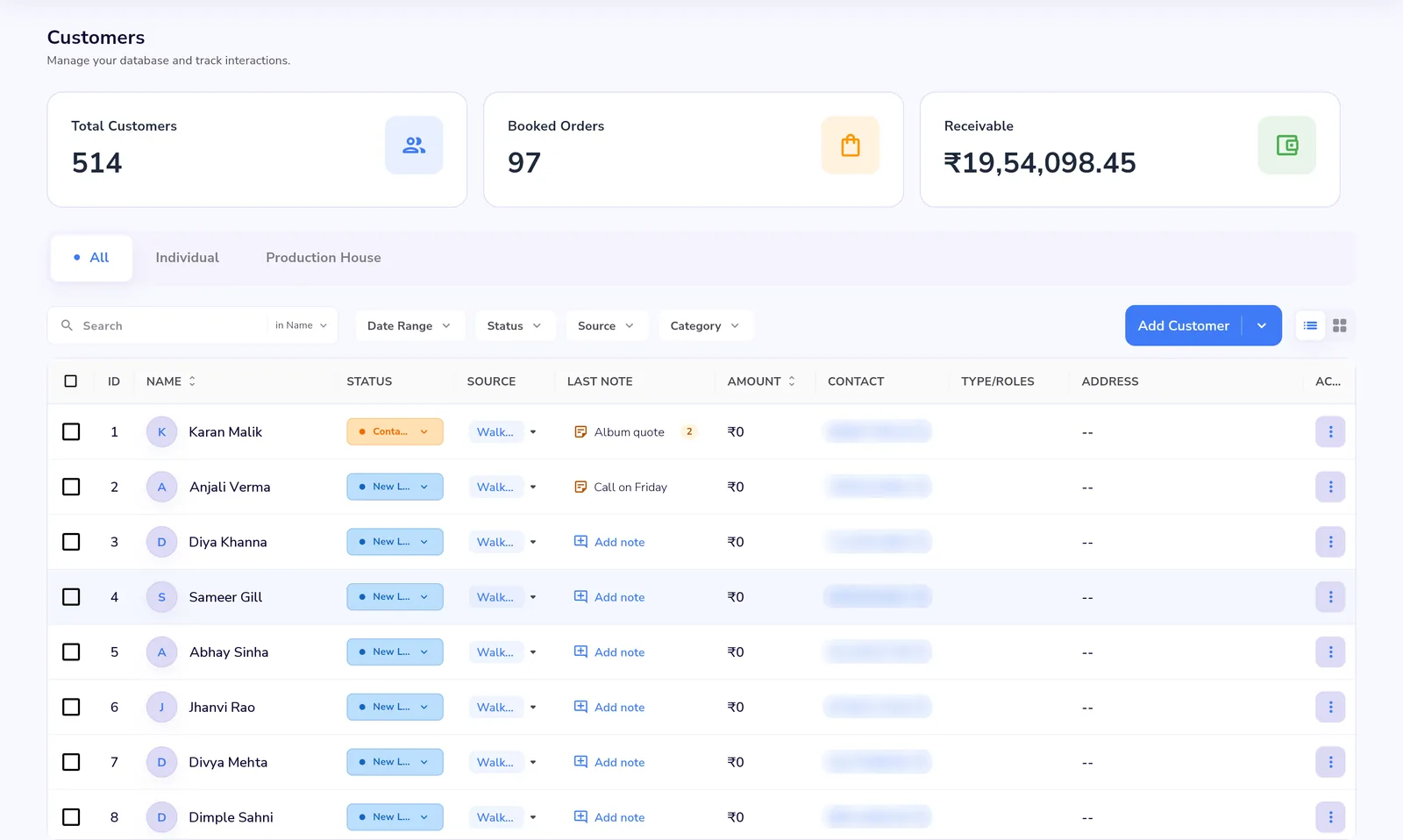
Every client — individual couples and production houses — with their status from new lead to contacted to booked, and how much they owe across all orders. Camtom's customer list shows total customers, booked orders and total receivable at the top.
2. Quotations
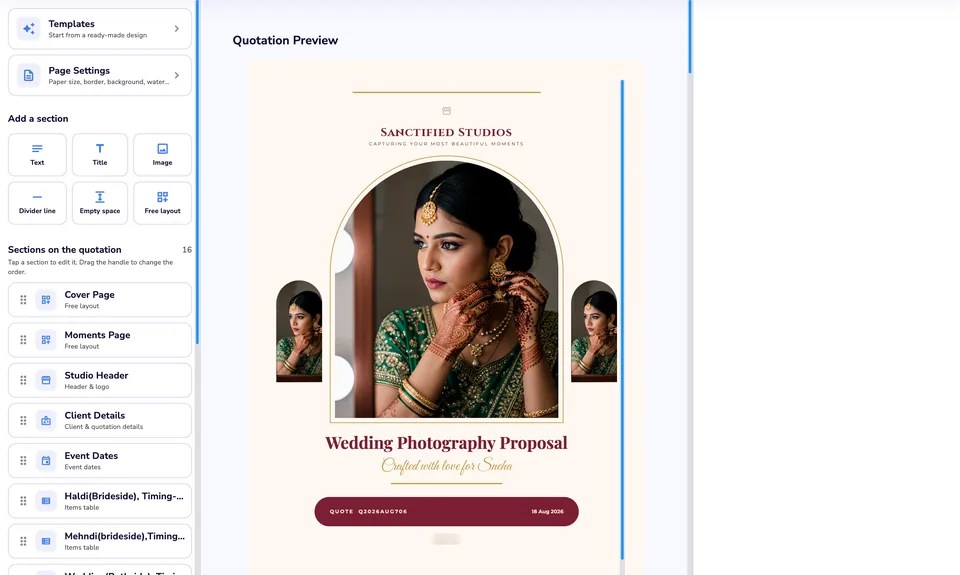
Function-wise quotes with your packages and terms, designed as a PDF and tracked by status: draft, sent, hold, booked, updated or rejected. A booked quote converts to an order or a bill. See our wedding quotation format.
3. Orders with function timelines
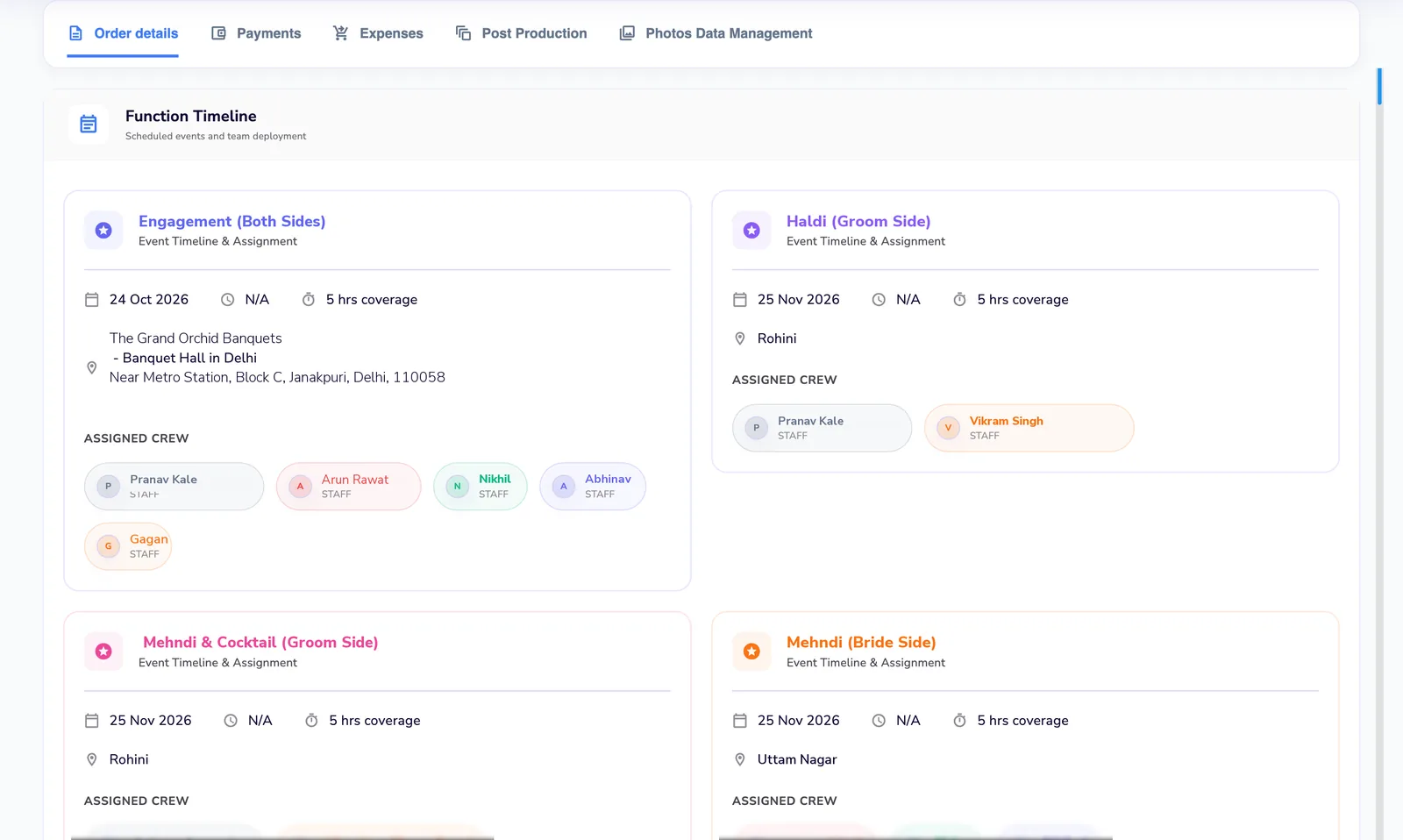
The order is the heart of the studio. Each one holds the functions (date, coverage hours, venue with a maps link), the crew assigned to each function, payments, expenses, post-production tasks and which hard disk has the data. The order list shows projected revenue, money received and outstanding.
4. One calendar for the whole season
In November and February a studio can have six functions on one weekend. Camtom's calendar shows every function of every order, with filters for events, payments, birthdays, schedules and freelance work, and an upcoming-events list beside it.
5. Reminders, so nothing slips
The dashboard collects reminders for payments due, upcoming events, upcoming deliverables, client birthdays and task deadlines. On Android, event alarms can ring full-screen before a function.
6. Team, freelancers and tasks
Staff and freelancers with roles, skills and charges; crew per function; and post-production tasks with deadlines and timers. More in managing a photography team.
7. Money: bills, receipts, QR, expenses
GST invoices, receipts for cash, online and cheque payments, fixed-amount UPI QR codes, and expenses for the business and team payments. More in billing for photographers.
8. Overview and reports
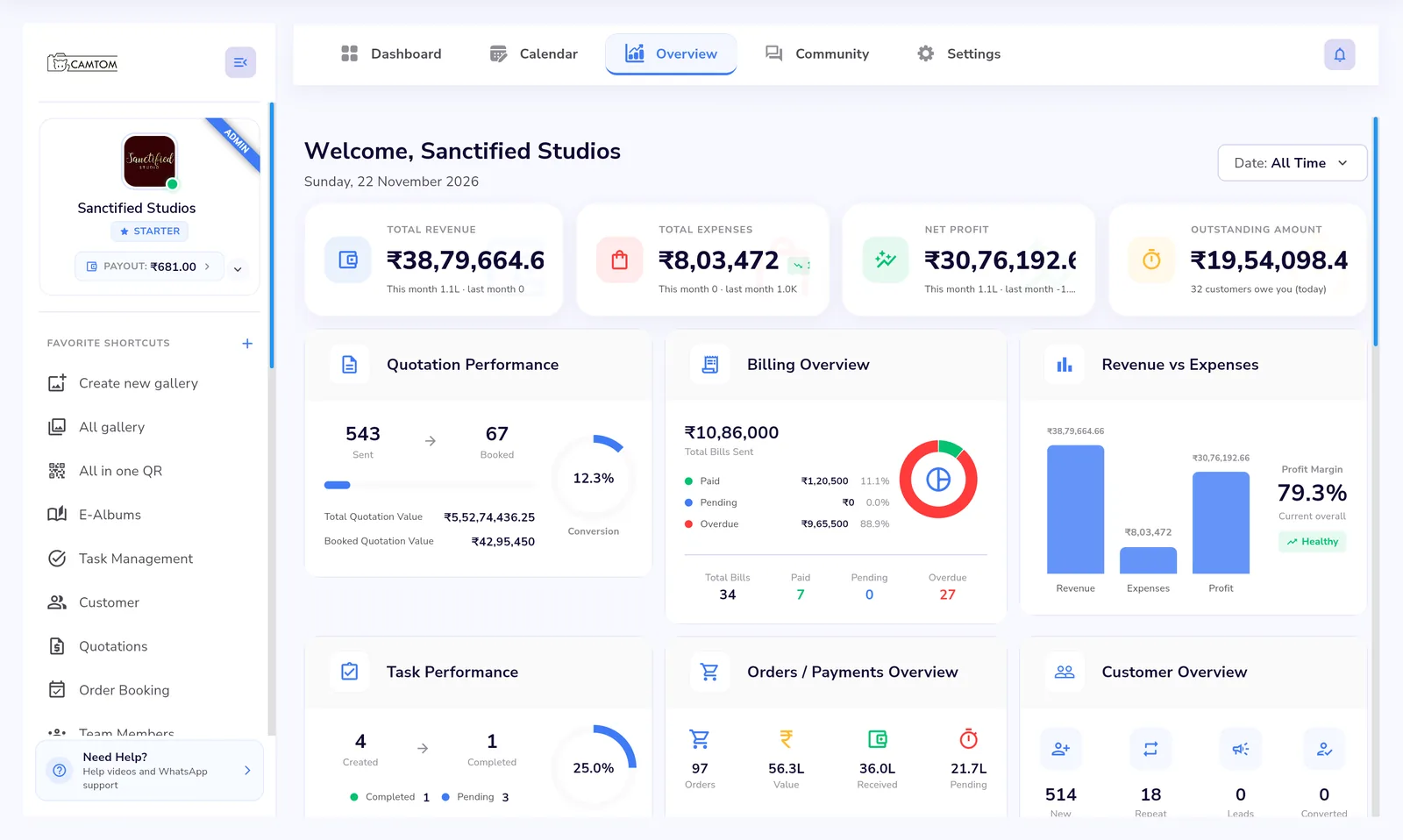
The Overview tab answers “how is the studio doing?”: total revenue, expenses, net profit, outstanding, quotation conversion, billing, tasks, orders and customers. Reports go deeper — sales, payments, events, expense analysis, employee performance and event profitability — with PDF and Excel export.
09Why it should live next to your galleries
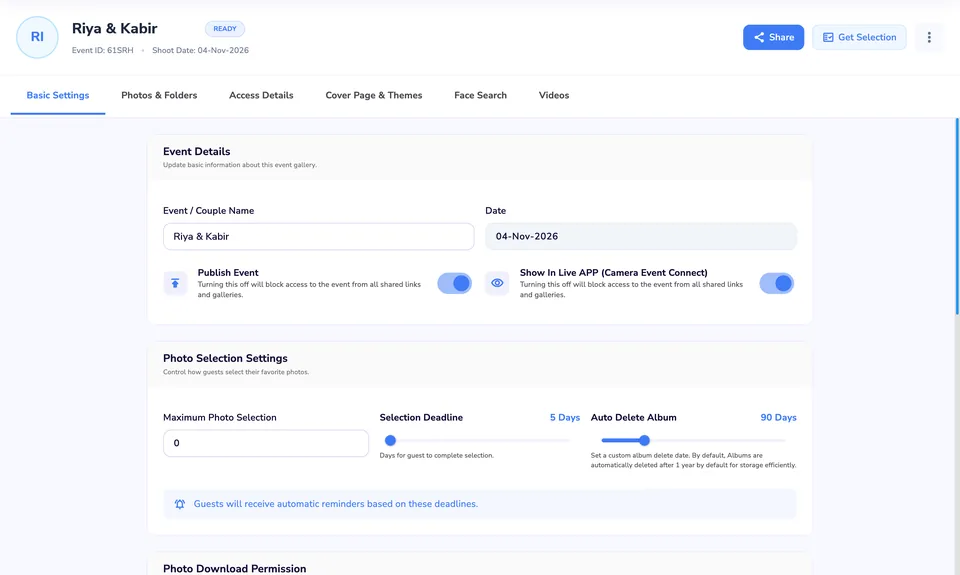
A separate CRM and a separate gallery tool means typing every wedding twice. In Camtom the same studio account holds the order, the gallery, the selection and the bill — on Windows, Mac, Android and iPhone, in English or nine Indian languages.
Start small: add this season's orders first. The calendar, reminders and outstanding totals start working the same day.
10Frequently asked questions
Is the CRM included in every Camtom plan?
Yes. Every plan includes the studio CRM. Selection Month (₹299 a month + GST), Photo Selection (₹999 a year + GST) and Selection + Face AI (₹2,499 a year + GST) have the basic CRM with basic designs; Selection + CRM (₹1,499 a year + GST) and All Features (₹3,499) have the advanced CRM with every premium quotation and bill design.
Can my staff use it on their phones?
Yes. Camtom runs on Windows, Mac, Android and iPhone, and team access permissions control which features each person can use.
Can I export my data?
Yes. Reports and data tables can be exported to PDF or Excel.