01
Online photo selection
Clients mark select, important or reject on any phone or PC: swipe, double-tap, buttons or full screen.
Every plan
All features
Online photo selection, CatEye AI face recognition, live event sharing, quotations, bills and your team, in one app for Windows, Mac, Android and iPhone. Filter by what you need, or search for a feature.
01Everything in the bag
Every tool a working photographer needs, from the first enquiry to the final payment. Colour-coded like a colour checker, so you can find your part of the job fast.
Let clients choose, without the chaos.
Clients mark select, important or reject on any phone or PC: swipe, double-tap, buttons or full screen.
Every planSet a selection limit and a deadline. The client gets a daily reminder until they finish.
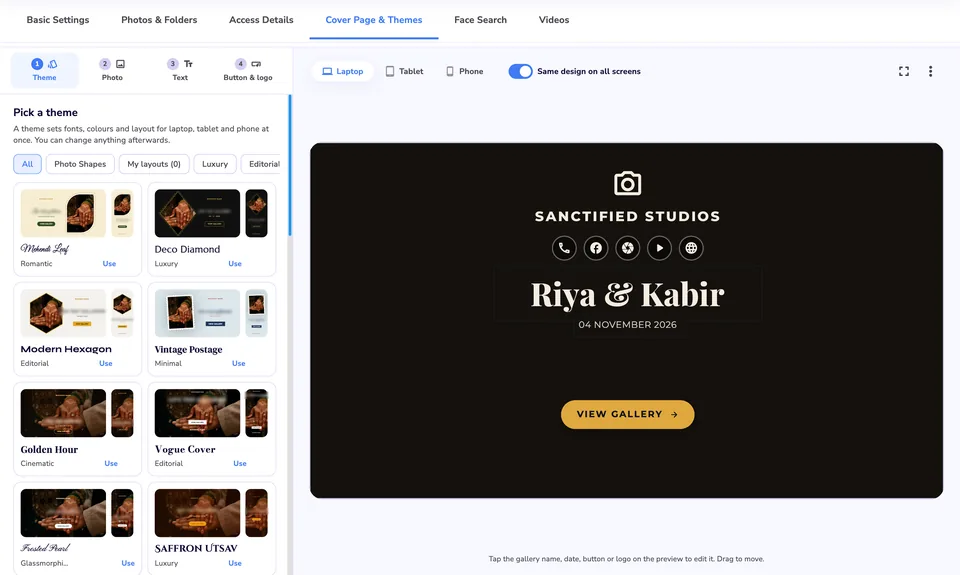
The first screen clients see when they open your gallery link, styled for the shoot.
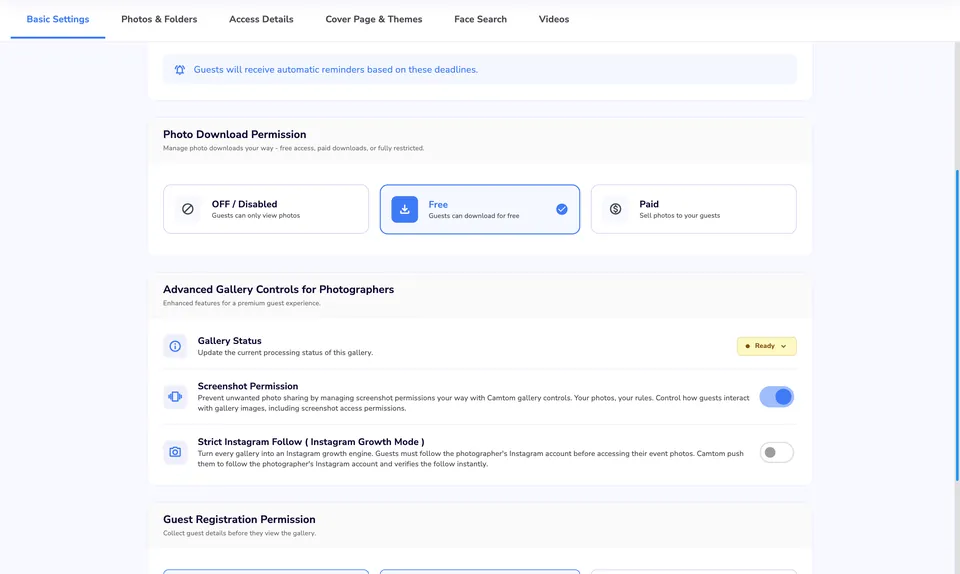
Each gallery has its own rules for selection, downloads and privacy, set once before you share.
Collect the originals of every selected photo, RAW included, from your backup in one click.
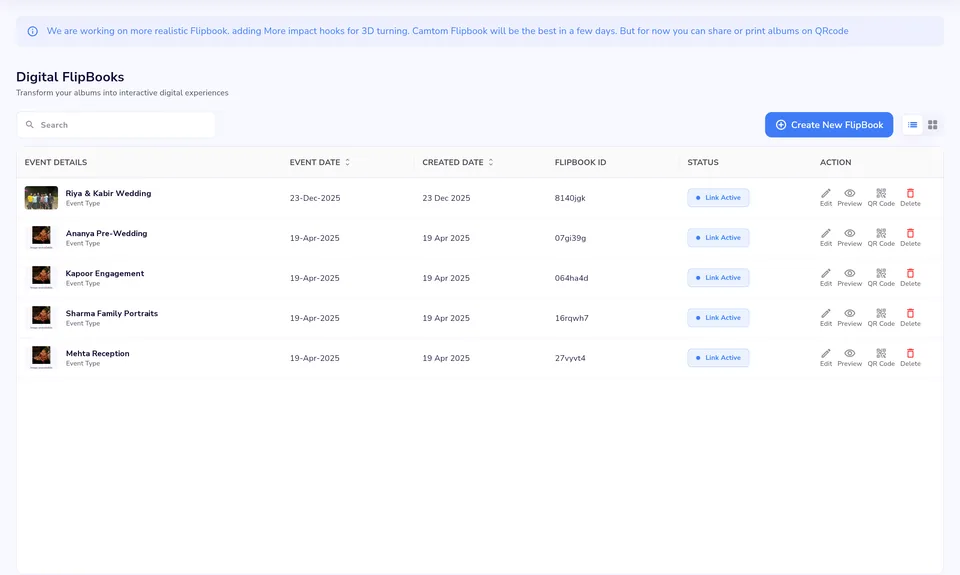
An online flipbook album with its own QR and link. Unlimited e-albums on All Features.
All FeaturesAdd YouTube links for highlights and films, right next to the photos.
Default permissions, upload quality, watermark and icons for every new gallery.
One QR for your whole studio. Print it on a banner; clients scan, register and reach their event.
Face search built for crowds of thousands.
Matches faces across thousands of photos, so the right photos reach the right people.
Face AI plansEach guest takes one selfie and sees only the photos they appear in.
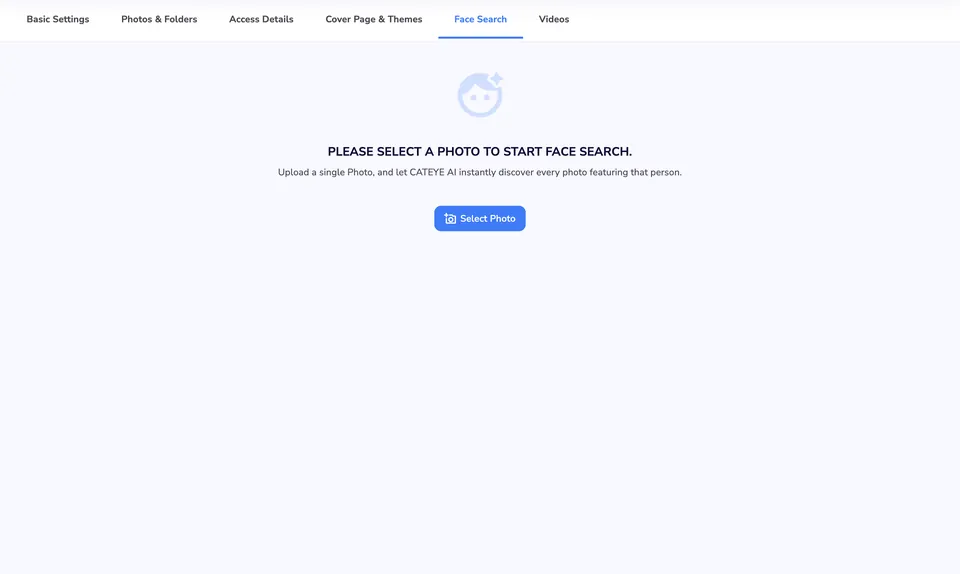
Face AI plansUpload one photo and see every frame of that person in the event.
Face AI plansPut one QR at the venue. Guests scan, take a selfie and get their photos.
Face AI plansSelfies are used only to match a face, then permanently deleted.
Share while the event is still on.
Share photos while the event is still on, with the free Camera Event Connect app for Android.
Free appDSLR, mirrorless, phone or a team member's device, all into the same event.
Switch an event on or off for Camera Event Connect from its gallery settings.
Clients and guests see new photos arrive during the event: a great moment to share your studio.
Your photos. Your rules.
Let guests only view, download free, or buy photos at your price per photo.
Turn screenshots off for a gallery, or for a single guest.
Guests follow your Instagram before they see their photos, and Camtom checks the follow.
A 4-digit PIN, a registration-free VIP link, or guest details collected before viewing.
Admin, download, screenshot, all photos or selfie-only, per guest. Export the list to Excel.
Bye-bye notebook. Hello, studio.
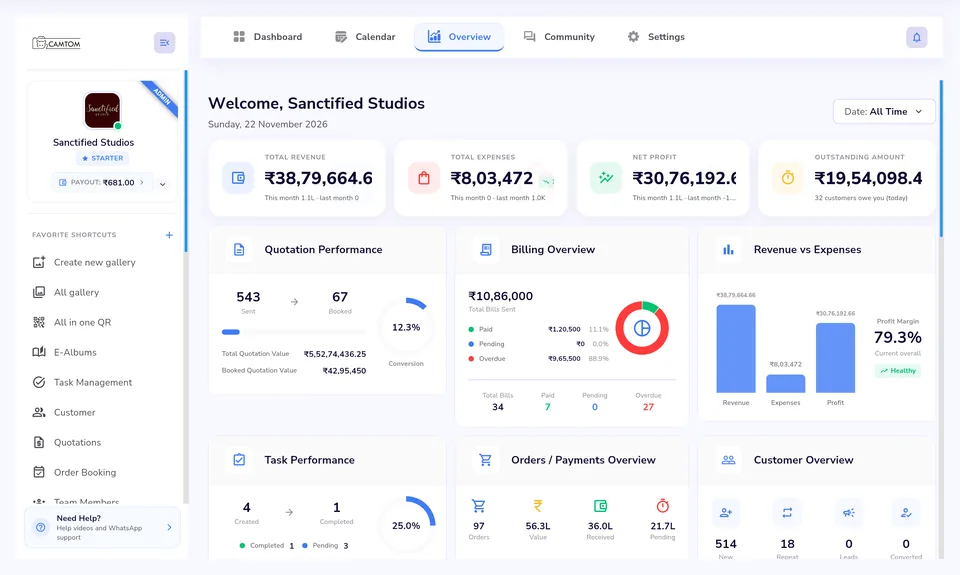
Revenue, expenses, net profit, outstanding and quotation conversion, this month or all time.
Individuals and production houses, from new lead to booked, with what each still owes.
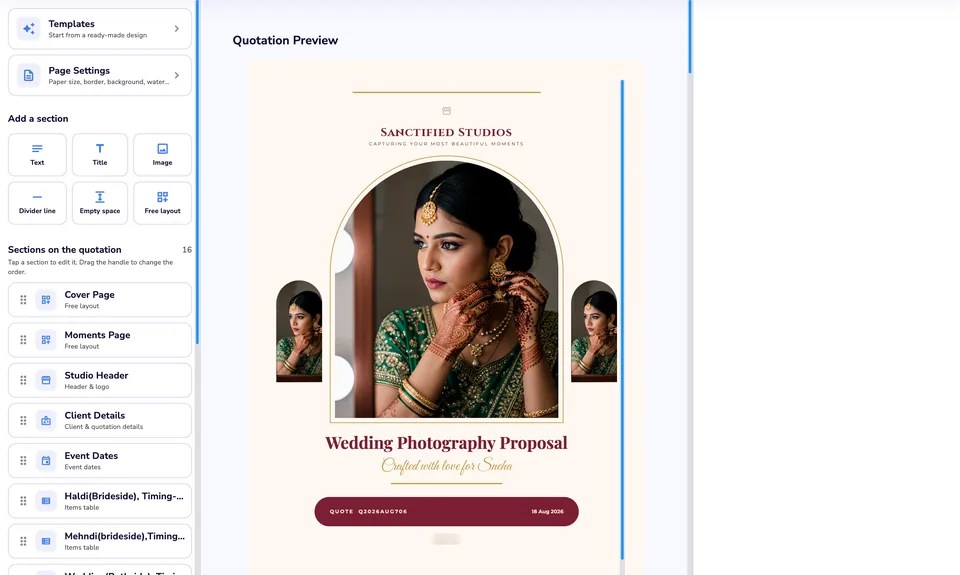
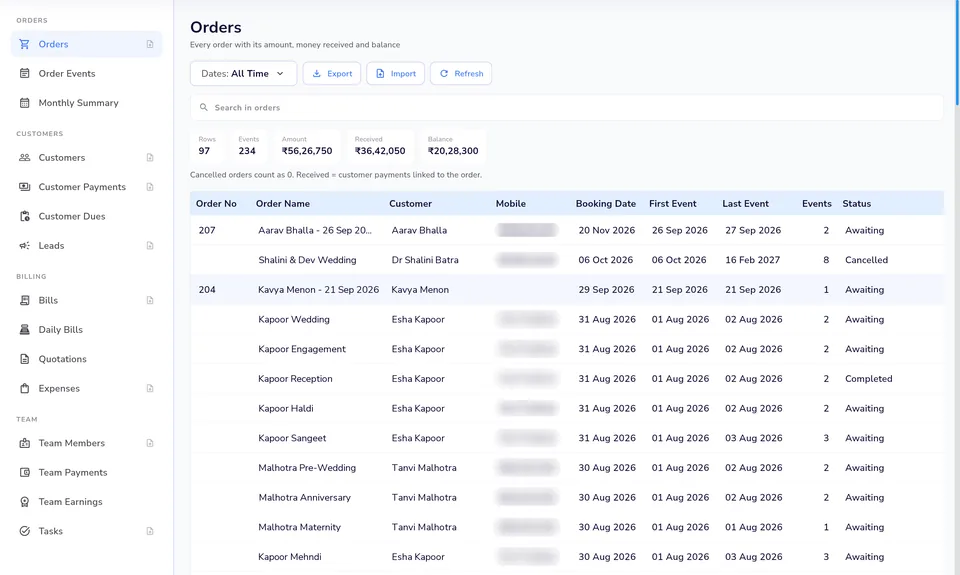
Proposals with cover pages and shoot-wise packages. Send the PDF on WhatsApp and turn it into an order in one click.
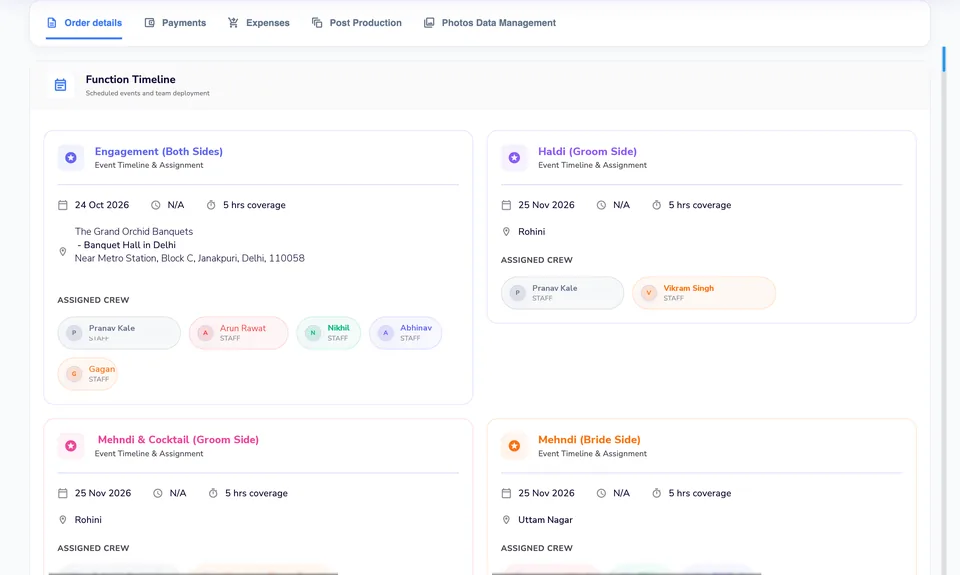
Every shoot with date, coverage hours, venue and crew, plus payments and post-production inside the order.
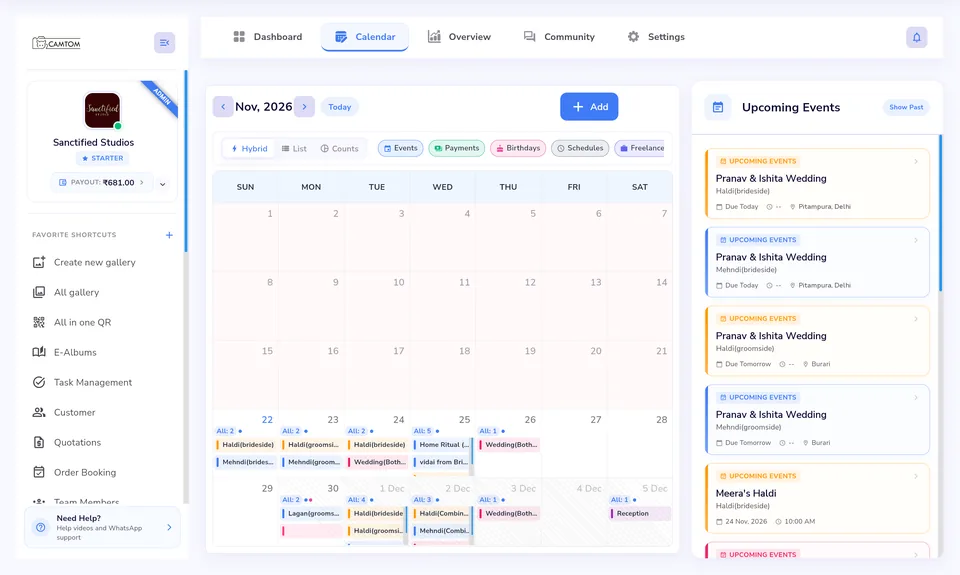
Month, list and count views of every shoot, with filters for payments, birthdays and freelance work.
Payments, upcoming shoots, deliverables, birthdays and task deadlines, before they slip.
Full-screen alarms on Android for upcoming events, so a call time is never missed.
AndroidServices, deliverables, prints and studio items with cost, price and profit, grouped into packages.
Write terms once and reuse them on bills, orders and quotations.
Standard notes for clients and your team, ready for every shoot.
A portfolio page for your studio, ready to share with new clients.
Find customers, orders, bills or a feature from the dashboard search.
Know who has paid, and who hasn't.
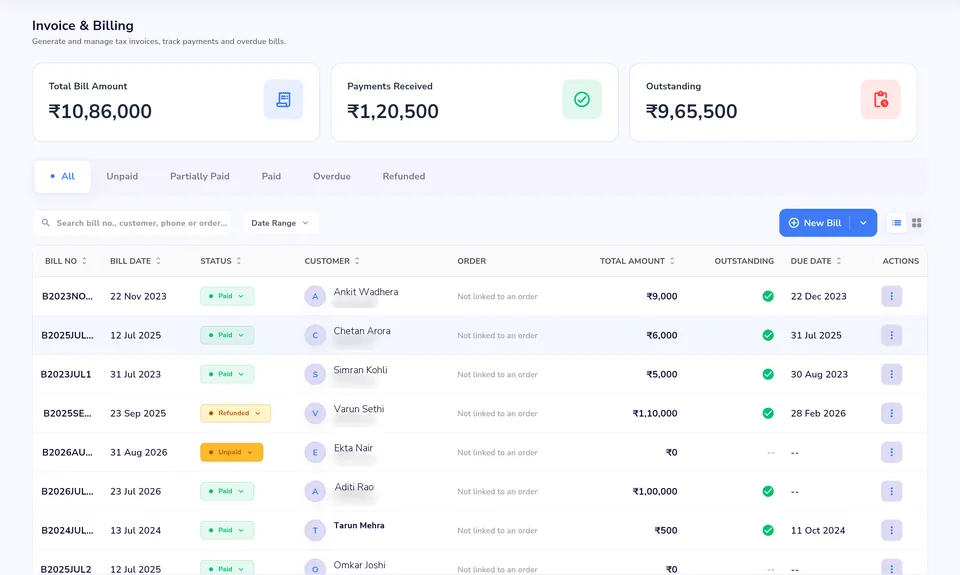
Unpaid, partial, paid, overdue and refunded tabs, with PDF bills that carry your terms.
Record cash, UPI, cheque and other payments, with totals by mode and period.
A UPI QR for the exact amount. The client can't pay less, and the money goes straight to your bank.
Guests buy the candids that won't make the album, at your price per photo.
Every paid download with album, buyer, quantity and amount.
Business expenses and team payments, by date range.
Event profitability, expense analysis and lead conversion, as PDF or Excel for your CA.
Your Camtom balance, such as referral rewards, with history and transfer requests.
₹200 + ₹100 + ₹50 off across three levels when photographers you refer buy a plan.
Your crew, on the same page.
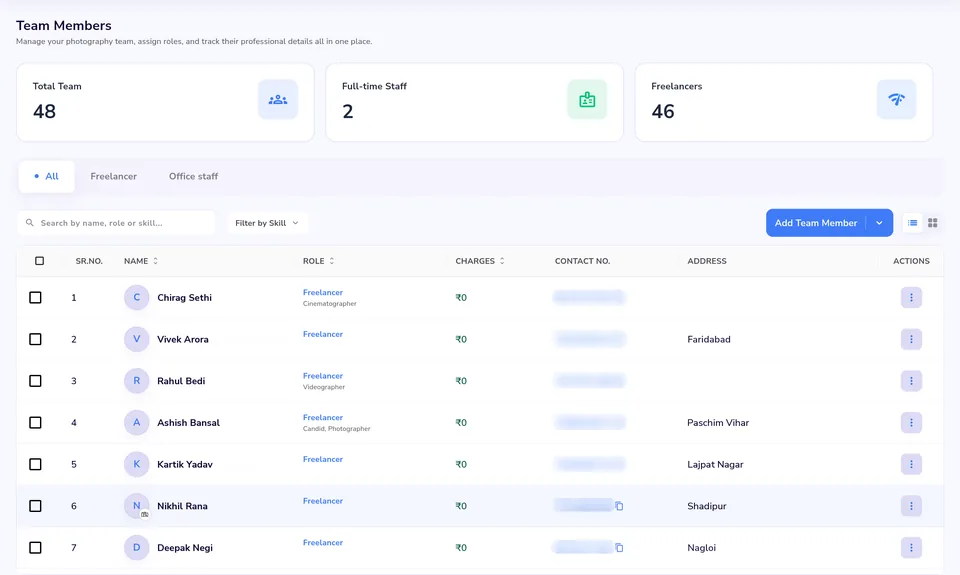
Staff and freelancers with roles, skills, charges and payment records.
Assign crew to every shoot of an order, with their roles and charges.
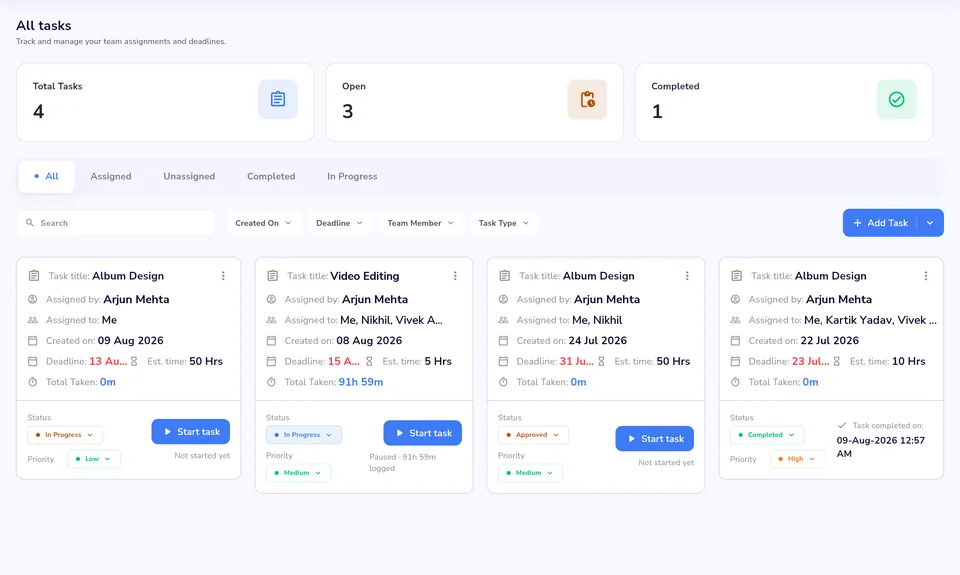
Album design, editing and delivery tasks with priority, status and a start/stop timer.
Reminders before a task is due, so albums don't slip.
Add users or vendors and allow only the features each one needs.
Make sure Camtom is used only by people you approve.
Track work you take from other studios: date, amount and status.
Know which hard disk holds which shoot, and how much space is left.
Send quotations, bills, gallery links and reminders straight to WhatsApp.
One studio, every screen.
Desktop apps for your studio PC, Apple chip and Intel Macs included.
The same studio in your pocket, on the way to the shoot.
No OTP on the computer. Scan the QR with the Camtom app on your phone.
Add more any time for ₹199 + GST each while your plan is active.
English, Hindi, Marathi, Gujarati, Bengali, Tamil, Telugu, Kannada, Malayalam and Odia.
Photos stay in your Drive: no storage bill, no lock-in. Use separate Drives for photos and e-albums.
Free tools for every photographer, in the Community tab.
Browse cameras, lenses and gear available from local photographers.
FreeFind photographers, editors and assistants for your next project.
FreeAdvice and strategies to grow a photography business.
FreeLighting, composition and camera settings that work.
FreeA visual guide to posing couples, families and models.
FreeHelp videos inside the app, plus 24×7 WhatsApp support on every paid plan except Photo Selection.
Already on the dashboard, arriving in upcoming updates.
A dynamic enquiry form for your website and Instagram, with every lead in one place.
SoonTrack studio cameras, lenses and gear: who has what, and when it comes back.
SoonDaily studio rentals and walk-in billing.
SoonAI-assisted shortlisting before the client sees the gallery.
SoonNo feature matches that search.
02Inside the app
Everything above already ships in Camtom on Windows, Mac, Android and iPhone.