Ask any wedding photographer what the hardest part of the business is, and many will not say the shoot. They will say collecting the balance. Advance on WhatsApp, part payment in cash at the venue, “I'll send the rest after the album” — and three months later nobody is sure who owes what.
This guide sets out a simple billing workflow you can run every wedding season, and shows how Camtom keeps it in one place.
01The workflow: quote → order → receipts → bill
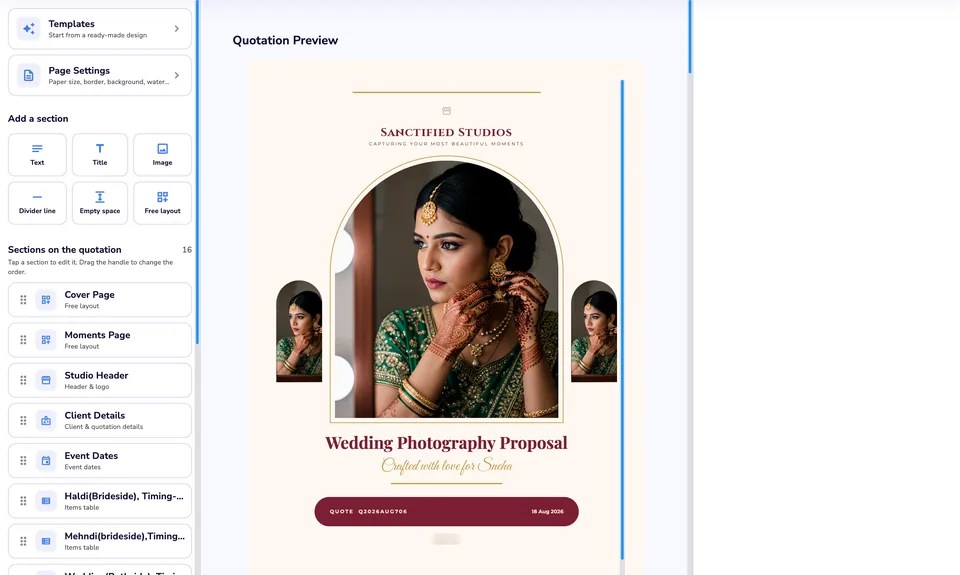
- Quotation. Send a function-wise quote (here's a format). When the family says yes, convert it to an order.
- Advance receipt. Record the booking amount on the order the day you receive it — cash, online or cheque.
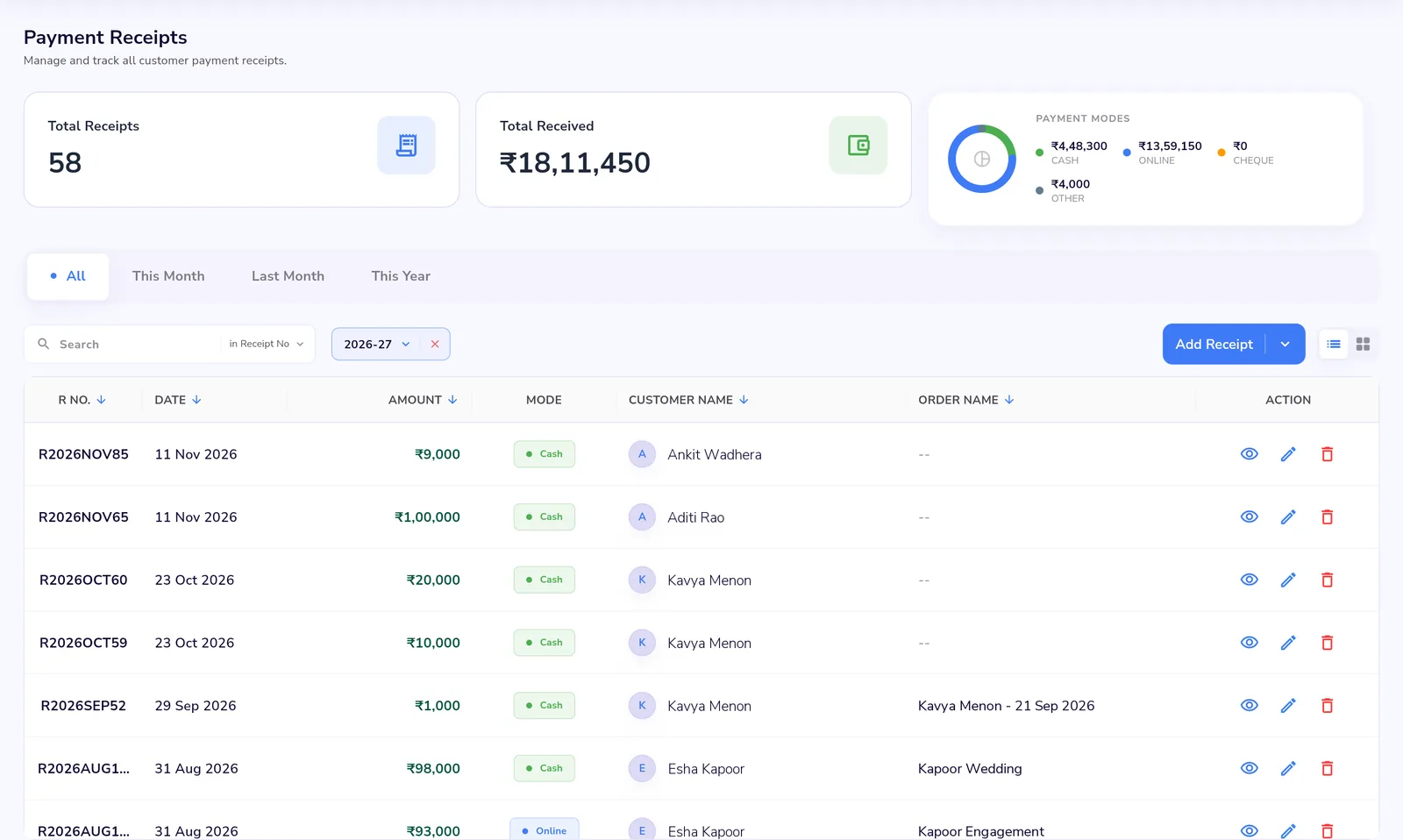
- Part payments. Add a receipt for every payment. The order always shows total paid and balance.
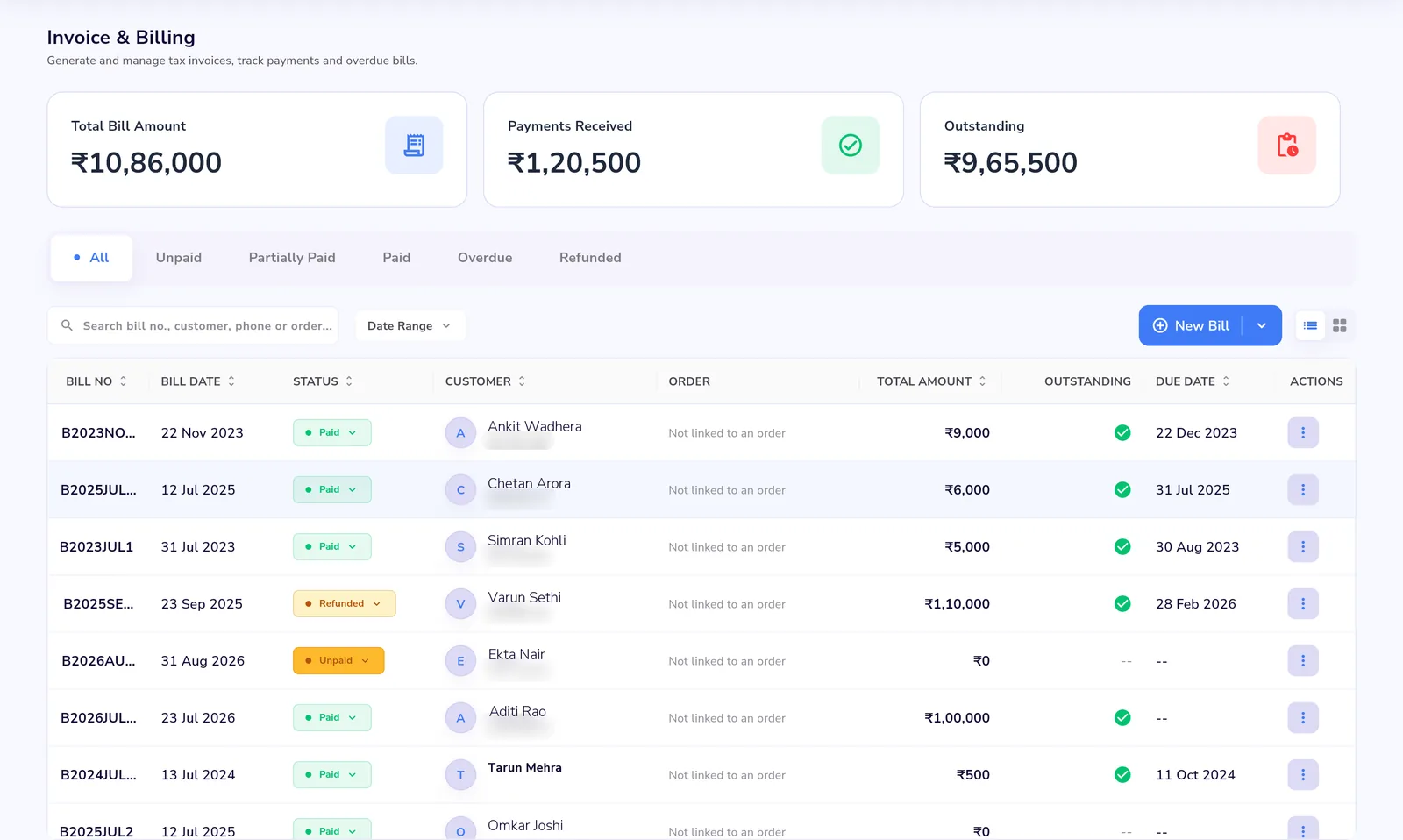
- Final bill. Create the bill (or a GST invoice), link it to the order and share the PDF.
- Collect the balance with a fixed-amount UPI QR, and watch overdue bills.
02GST invoices for studios that are registered
If your studio is GST-registered, your corporate and production-house clients will ask for a proper tax invoice with your GSTIN. Camtom's bills support GST invoices with GSTIN and state details, alongside your own terms. Keep one terms library for bills so every invoice says the same thing about payments and delivery.
03Receipts for every rupee — cash, online or cheque
Cash at the venue is still common at Indian weddings. The problem is not cash — it is cash that never gets written down. Record each payment as a receipt with its mode. Camtom's payment receipts screen shows total received and a breakdown by cash, online, cheque and other, with filters for this month, last month and this year.
04Fixed-amount UPI QR: the client can't pay less
A normal UPI QR lets the payer type any amount. A fixed-amount QR asks for the exact balance — ₹48,000 means ₹48,000. Camtom lets you create reusable UPI payment QR codes for fixed amounts that pay straight to your own UPI ID, and share them with clients. Any UPI app can scan them.
Tip: send the final bill PDF and the fixed-amount QR together, in the same WhatsApp message. Payment arrives much faster when paying takes one scan.
05Know what is outstanding — always
The real value of billing software is not the PDF. It is the number at the top of the screen: outstanding. Camtom shows outstanding on bills, on every order card (received vs balance due) and on the customer list (receivable per client). The dashboard reminds you about payments due, and the Overview tab shows the total still to collect.
06Reports your CA will actually use
At year end, your CA needs sales, payments and expenses — not a notebook. Camtom's reports cover the financial overview, sales, payments, quotations, events, expense analysis and event profitability, and you can download any of them as PDF or Excel. Record expenses — business expenses and team payments — as they happen so profit per event is real.
07Frequently asked questions
Can I make GST invoices in Camtom?
Yes. Bills support GST invoices with GSTIN and state details, and you can add your own terms.
How do I record cash payments?
Add a payment receipt with the mode set to cash. Receipts show totals by cash, online, cheque and other.
What is a fixed-amount payment QR?
A UPI QR code for an exact amount that pays to your own UPI ID. The client scans it with any UPI app.
Can I export reports for my CA?
Yes. Reports can be downloaded as PDF or Excel.