A five-function Indian wedding can need a candid photographer, a traditional photographer, two cinematographers, a drone operator and an assistant — on different days, at different venues, half of them freelancers. Add album design and film editing afterwards, and the studio owner becomes a full-time coordinator.
Here is a simple system for managing the crew, with how Camtom supports each step.
1. Keep one team list — staff and freelancers
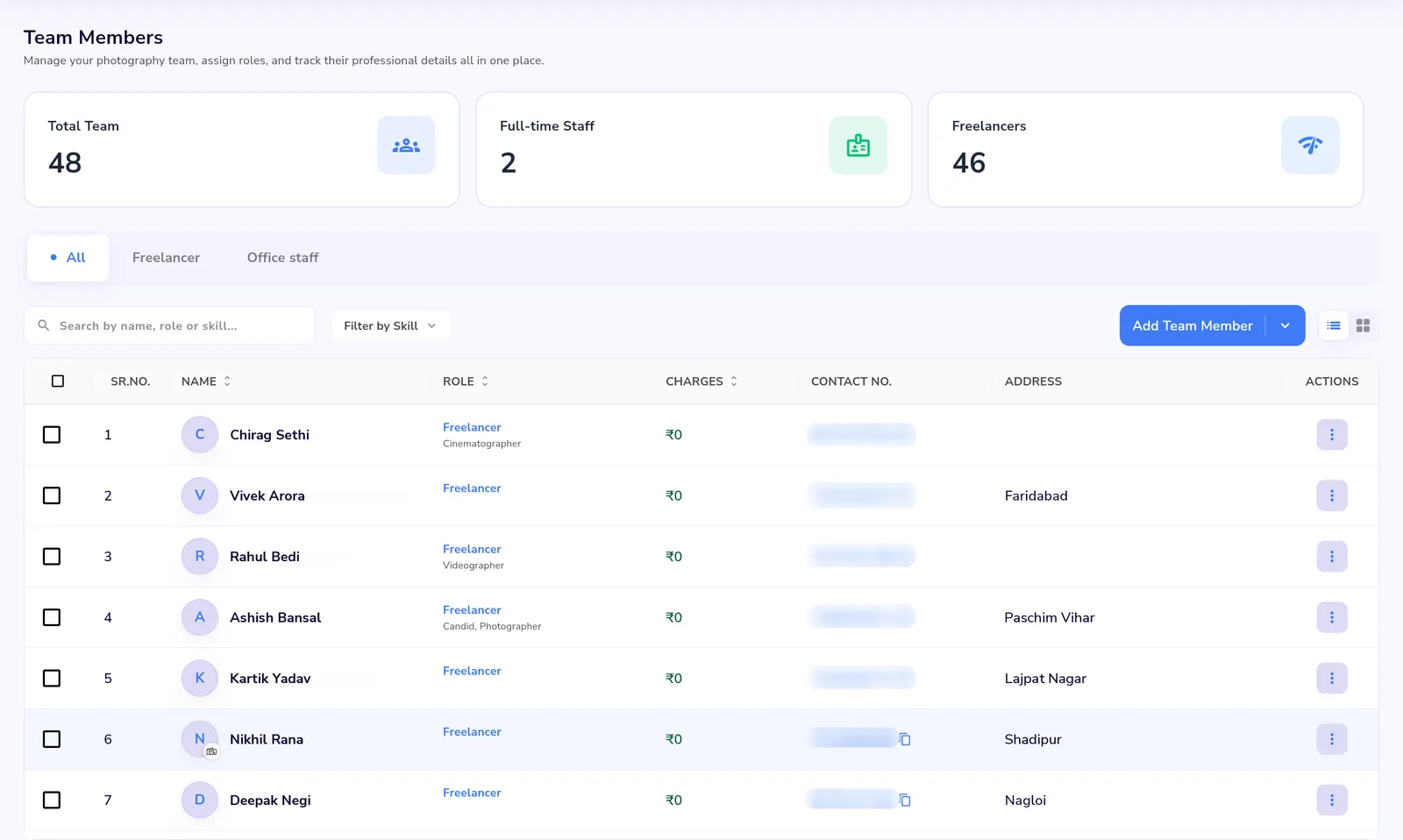
Start with everyone you work with: full-time staff and regular freelancers, their role (candid, cinematographer, editor, assistant), skills and charges. Camtom's team screen shows total team, full-time staff and freelancers, with filters by skill.
2. Assign crew per function, not per wedding
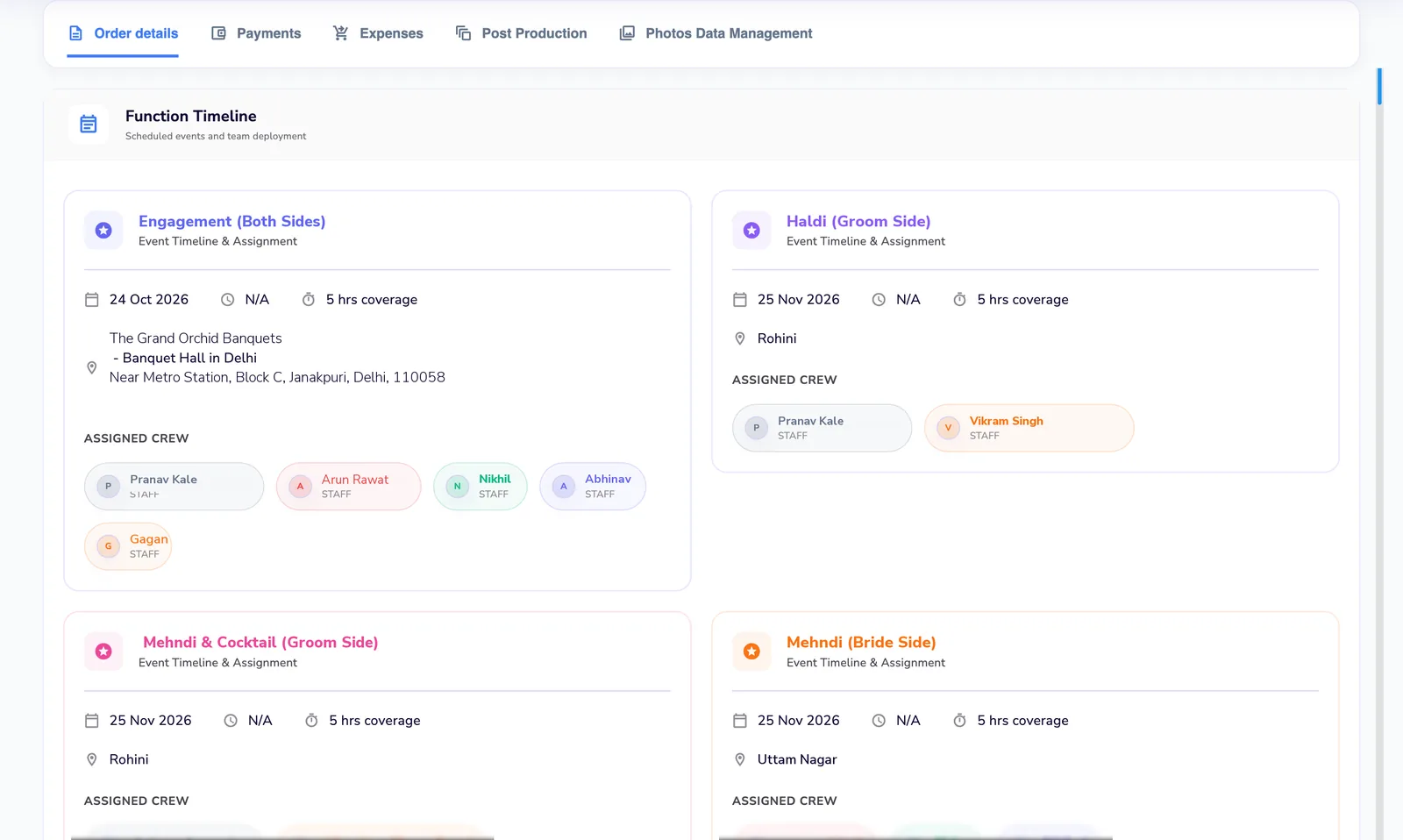
“Gautam is on the Sharma wedding” is not enough when the Sharma wedding is five functions in three venues. Assign crew to each function on the order — Engagement, Haldi, Mehendi, Wedding — with the date, coverage hours and venue (with a maps link). Everyone knows exactly where to be.
3. Track post-production as tasks
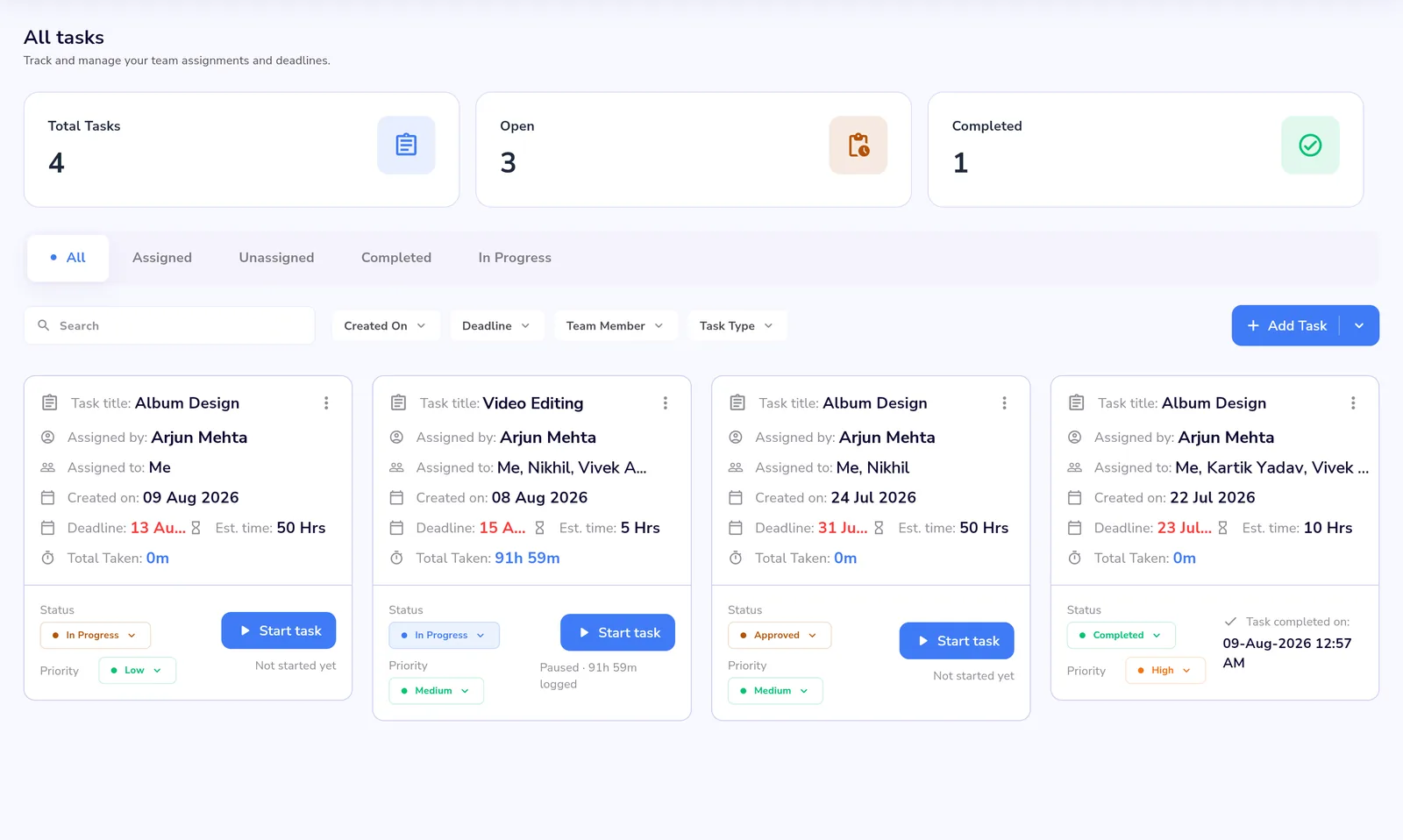
The wedding ends; the work doesn't. Album design, photo editing, highlight film, full film — each is a task with who assigned it, who it's assigned to, a deadline and an estimated time. In Camtom, team members start and pause a timer on the task, so you see the total time taken against the estimate, along with status (unassigned, in progress, approved, completed) and priority.
4. Give each person the right access
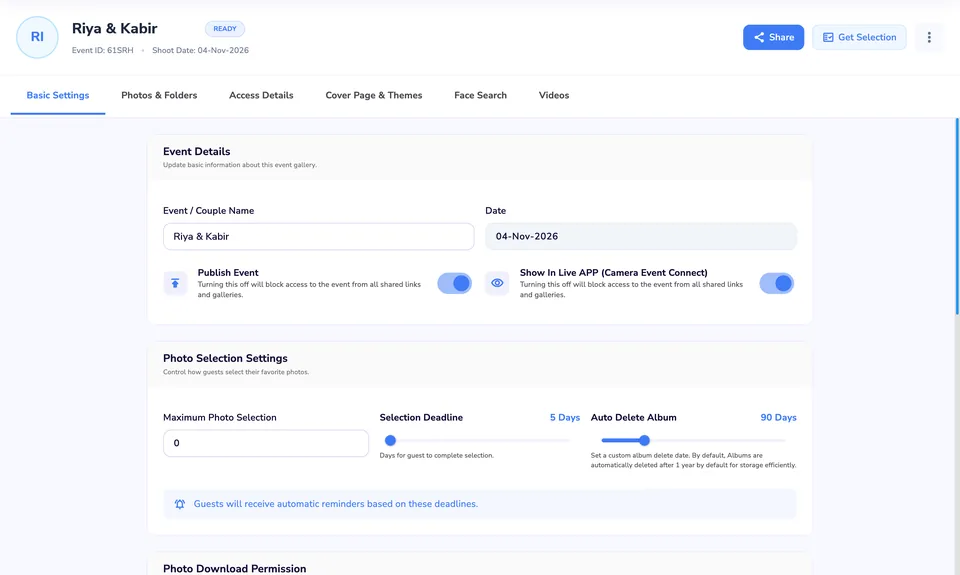
Your editor needs galleries, not bills. Your manager needs bookings, not profit reports. Camtom's team access and permissions let you add users or vendors and give each one feature-based access. The lock software access setting makes sure Camtom is used only by people you approve.
5. Pay the team on record
Record what you pay each team member as a team payment in expenses. At the end of the season, expense reports and event profitability show what each wedding really cost — crew included. Employee performance reports show completed tasks and hours per person.
6. Work you take from other studios
Many photographers also shoot for other studios. Freelancer bookings track those assignments — date, amount and status — so they sit on the same calendar as your own orders.
Tip: share the function timeline with the crew the night before. One message with the venue, timing and team list prevents most day-of confusion.
07Frequently asked questions
Can freelancers be added to Camtom?
Yes. Add freelancers and full-time staff with their roles, skills and charges, and assign them to functions.
Can I limit what team members see?
Yes. Team access permissions give each user access only to the features you allow.
How do I track album and editing work?
Create post-production tasks with an assignee, deadline and estimated time; team members use the task timer to log time.