The best time to show a guest their photo is while they are still wearing the outfit. Live photo sharing — uploading during the event so families and guests can see photos before they leave — has become one of the easiest ways for a studio to stand out at a wedding, a corporate event or a birthday.
01What you need
- Camtom with an event gallery for the function.
- Camera Event Connect by Camtom, a free Android app for your team.
- Your cameras — DSLR, mirrorless or phones — and a team member to run uploads.
Get Camera Event Connect on Google Play.
02Step by step
- Create the gallery for the function in Camtom, for example “Haldi — Bride side”.
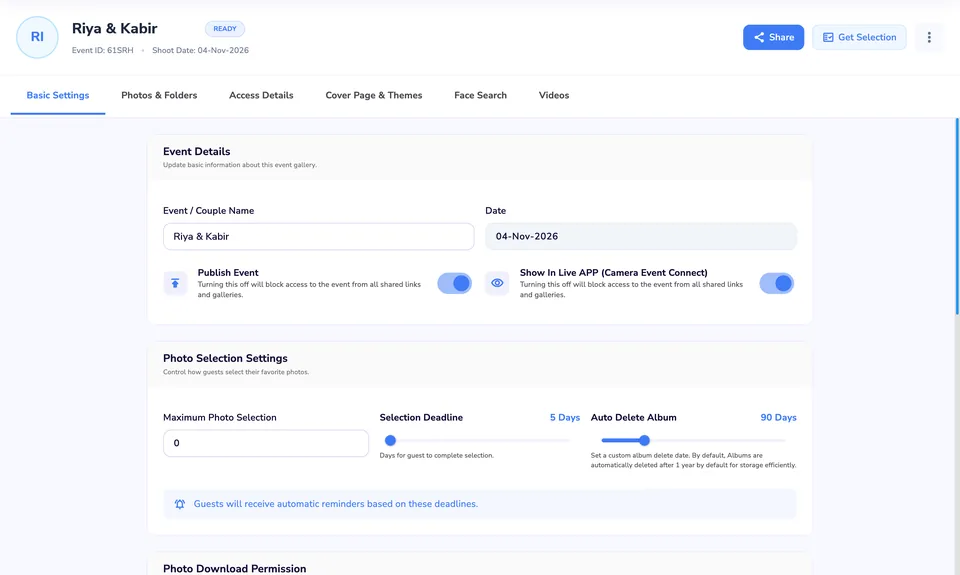
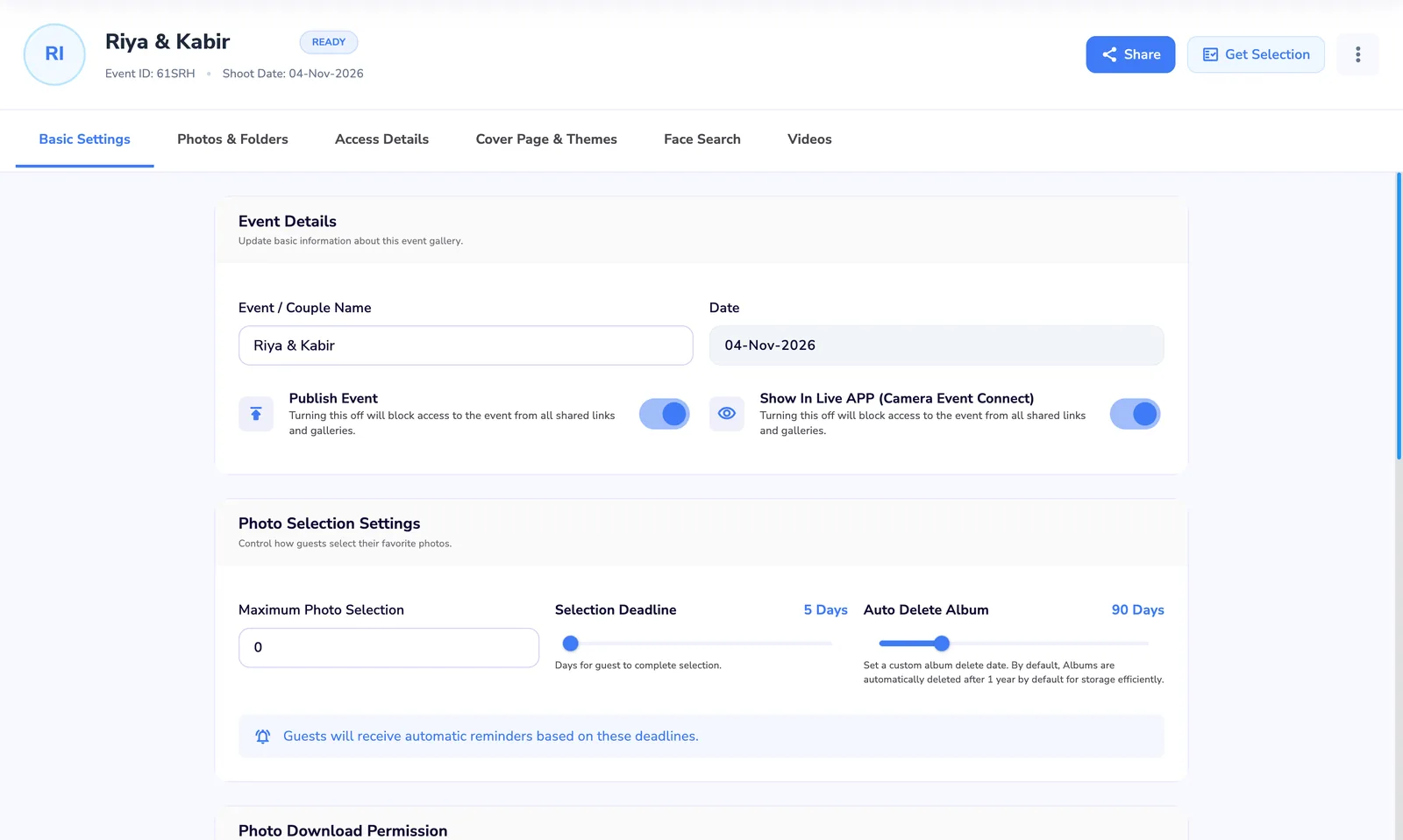
- Turn on “Show in live app (Camera Event Connect)” in the gallery's basic settings.
- Upload during the function with Camera Event Connect, from the camera, a phone or team devices.
- Share the gallery link or QR on the family WhatsApp group or at the venue.
- Guests watch the gallery fill up — and with CatEye AI guest mode, they see only their own photos.
03Which functions work best live
Live sharing shines where guests are relaxed and on their phones: Haldi, Mehendi, Sangeet and the reception. For the pheras or the varmala, families usually prefer to see the edited photos later — upload there only if the couple asks.
04Keep control of what goes live
- Publish or unpublish the event at any time — turning it off blocks access from all shared links.
- Keep downloads free, off or paid.
- Turn screenshot permission off if you are selling photos.
- Use face recognition so each guest sees only themselves.
Tip: put the event QR on the welcome board at the venue. Guests who scan it during the function become followers and future clients.
05After the event
The same gallery becomes the selection gallery. Upload the rest of the photos into the function folders, set the selection limit and deadline, and the family selects for the album — no new link needed.
06Frequently asked questions
Can I upload photos live during the event?
Yes. The free Camera Event Connect by Camtom app for Android lets your team upload event photos from a DSLR, phone or team devices during the event.
Is Camera Event Connect free?
Yes, the Camera Event Connect app is free on Google Play.
Can I stop live access after the event?
Yes. Turn off “Show in live app” or unpublish the event in its gallery settings.